


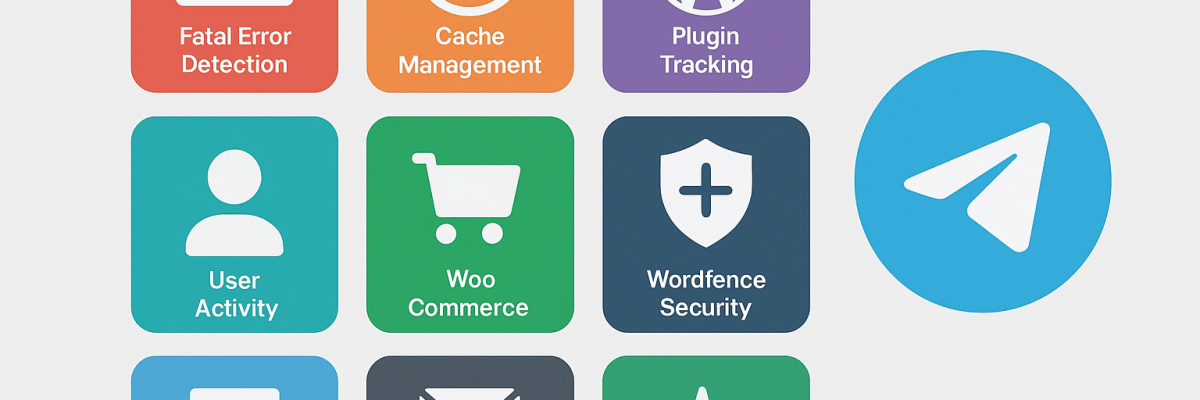
1. Fatal Error Detection and Reporting
What it does: Automatically captures PHP fatal errors that would normally crash your WordPress site.
How it works: The plugin registers a shutdown function that detects errors and formats them into readable notifications.
Why it matters: You’ll know immediately when your site encounters critical errors, allowing you to fix issues before they significantly impact users or SEO.
2. Cache Management Notifications
What it does: Alerts you whenever your site’s cache is purged or flushed.
How it works: Integrates with popular caching solutions including LiteSpeed Cache, Swift Performance, and WP Rocket.
Why it matters: Cache flushes can temporarily slow down your site. These notifications help you monitor performance impacts and track who’s making these changes.
3. Plugin Management Tracking
What it does: Monitors all plugin-related activities across your Telegram Error Notified for WordPress site.
How it works: Hooks into WordPress core actions to detect changes and send detailed notifications.
Specific notifications include:
- Plugin installations (new plugins added to your site)
- Plugin updates (version changes)
- Plugin activations
- Plugin deactivations
- Plugin deletions
4. User Activity Monitoring
What it does: Tracks important user management events and security-related user actions.
How it works: Monitors user registration and login attempts, with special attention to administrator accounts.
Key features include:
- New user registration alerts
- Administrator login notifications
- Login attempts from new IP addresses (with location data)
- Special alerts for non-Danish IP addresses (configurable)
5. WooCommerce Integration
What it does: Provides specialized monitoring for WooCommerce stores.
How it works: Hooks into WooCommerce-specific events to detect issues.
Monitored events include:
- Failed orders
- Payment processing issues
- Significant order status changes
- Stock level alerts (configurable thresholds)
6. Wordfence Security Integration
What it does: Simplifies and streamlines Wordfence security alerts.
How it works: Processes Wordfence notifications and delivers concise, actionable summaries.
Benefits include:
- Filtered alerts to reduce notification fatigue
- Daily security report summaries
- Immediate critical threat notifications
7. Menu Structure Monitoring
What it does: Detects changes to your WordPress navigation menus.
How it works: Performs daily checks of your menu structure against previous states.
Why it matters: Helps identify unauthorized changes to site navigation that could impact user experience or SEO.
8. Email Failure Detection
What it does: Alerts you when WordPress fails to send important emails.
How it works: Hooks into the wp_mail_failed action to catch and report delivery issues.
Why it matters: Ensures you’re aware when contact form submissions, password resets, or other critical communications fail.
9. Site Health Monitoring
What it does: Performs regular checks of your site’s overall health.
How it works: Runs scheduled daily and hourly tests to verify critical functionality.
Checks include:
- Database connectivity
- API availability
- Site accessibility
- Performance metrics
10. Performance Issue Detection
What it does: Monitors for significant performance degradation.
How it works: Tracks page load times and alerts on substantial changes.
Benefits include:
- Early warning of hosting issues
- Detection of problematic plugin interactions
- Identification of database performance problems
11. Background Process Management
What it does: Offers a robust system for handling performance-intensive tasks.
How it works: Uses WordPress cron and custom background processors to schedule tasks.
Key capabilities:
- PageSpeed score checking (configurable frequency)
- Site availability monitoring
- Regular health checks
12. CloudFlare API Integration
What it does: Connects with CloudFlare services for enhanced protection and management.
How it works: Uses API calls to interact with CloudFlare features.
Features include:
- Security threat alerts
- Cache purge confirmation
- Development mode status changes
13. Customizable Notification Settings
What it does: Allows fine-grained control over which notifications you receive.
How it works: Provides a dedicated settings page to enable/disable specific alert types.
Options include:
- Error reporting toggle
- Plugin notification preferences
- User activity alert preferences
- Cache management alert settings
14. Staging Environment Controls
What it does: Lets you control whether notifications are sent from staging/development environments.
How it works: Uses domain detection to identify non-production sites.
Why it matters: Prevents notification fatigue from test environments while maintaining visibility when needed.
15. Comprehensive Logging System
What it does: Maintains detailed logs of all events and notifications.
How it works: Writes timestamped entries to log files with automatic rotation.
Benefits include:
- Troubleshooting assistance
- Audit trail for compliance
- Historical record of site events
16. Multi-site Support
What it does: Works across WordPress multisite installations.
How it works: Respects network boundaries while providing visibility across all sites.
Features include:
- Site-specific notifications
- Network-wide alert aggregation (configurable)
- Cross-site event correlation
17. Rate-Limited Notifications
What it does: Prevents notification storms during widespread issues.
How it works: Uses intelligent transient-based throttling to group similar alerts.
Why it matters: Ensures you get important information without overwhelming your Telegram channel.
18. IP Geolocation Tracking
What it does: Provides location context for login attempts and admin actions.
How it works: Uses IP-API.com to determine geographic origin of users.
Security benefits:
- Suspicious login detection
- Unusual access pattern identification
- Context for administrative changes
19. Test Mode
What it does: Allows verification of notification setup without triggering actual errors.
How it works: Provides test functions to simulate various notification types.
Why it matters: Ensures your configuration works correctly before relying on it for production.
20. Health Check Diagnostics
What it does: Provides self-diagnostic tools to ensure the plugin itself is functioning correctly.
How it works: Checks for proper configuration, permissions, and connectivity.
Features include:
- Connection test to Telegram API
- Logging system verification
- Cron job scheduling confirmation
